5-Axis CNC Machines: What They Are and What You Can Actually Buy
Affiliate disclosure: As an Amazon Associate, WoodyMan Reviews earns from qualifying purchases. If you buy through links on this page, we may earn a commission at no extra cost to you. How this works.

Let's be honest up front, because a lot of "best 5-axis CNC for any budget" articles won't be: true 5-axis CNC machines are industrial equipment, not a hobby purchase. They start around $30,000 and run into the hundreds of thousands, they're the size of a car, and you don't order one from Amazon. If you're a woodworker or maker searching for one, what you almost certainly want is to understand what 5-axis does - and then find the desktop CNC you can realistically buy and use. This guide does both.
What "5-axis" actually means
A CNC machine's "axes" are the directions its cutter can move:
- 3-axis - the cutter moves in X, Y, and Z (left/right, front/back, up/down). This covers the vast majority of woodworking and hobby work: signs, inlays, pockets, 2.5D and simple 3D carving. This is what desktop CNC routers are.
- 4-axis - adds a rotary (A) axis, usually a chuck that spins the workpiece so the cutter can reach around it - great for cylindrical parts, table legs, and columns. Many desktop routers offer a bolt-on 4th-axis rotary module.
- 5-axis - adds a second rotational axis, so the cutter (or the part) can tilt and approach the material from almost any angle in a single setup. This lets it machine complex, curved, undercut geometry - turbine blades, impellers, medical implants, molds - that 3-axis simply can't reach.
The jump from 3 to 5 axes isn't "a bit better." It's a different class of machine for a different class of work.
Who actually needs 5-axis?
Almost no hobbyist does. 5-axis earns its cost in aerospace, automotive, mold-making, and medical manufacturing - anywhere parts have complex contours, undercuts, or must be cut in one setup for accuracy. For woodworking, 3-axis (optionally with a 4th-axis rotary) handles essentially everything a maker builds. If your goal is signs, furniture parts, inlays, or 3D reliefs, you do not need 5-axis - and paying for it would be a costly mistake.
The real 5-axis machines (for reference)
If you genuinely need 5-axis, you're shopping industrial brands: Haas, DMG Mori, Mazak, Hurco, Tormach (the "affordable" end, still $20k+). The one notable desktop 5-axis is the Pocket NC / Penta line - a genuine small 5-axis mill aimed at education and R&D, priced around $5,000+ and sold direct, not through general retailers. Everything cheaper claiming "5-axis" is usually a 3-axis machine with a rotary and a tilt, or marketing.
We earn a small commission from the Amazon links below, at no extra cost to you - see our affiliate disclosure.
What hobbyists can actually buy: desktop CNC routers
Here's the useful part. For makers and woodworkers, the realistic path is a desktop 3-axis CNC router - affordable, capable, and available now - with an optional 4th-axis rotary if you need to carve cylindrical work. These three cover the range from first-machine to serious hobby.
| Machine | Best for | Woody Rating | |
|---|---|---|---|
| 1. Genmitsu PROVerXL 4030 V2 | Best overall desktop CNC | 9.0/10 [Editor's Choice] | Check price |
| 2. Genmitsu 4040-PRO | Larger work area, lead-screw | 8.6/10 | Check price |
| 3. Genmitsu 3018-PRO | Best budget starter | 8.3/10 | Check price |
1. Genmitsu PROVerXL 4030 V2 - Best Overall Desktop CNC
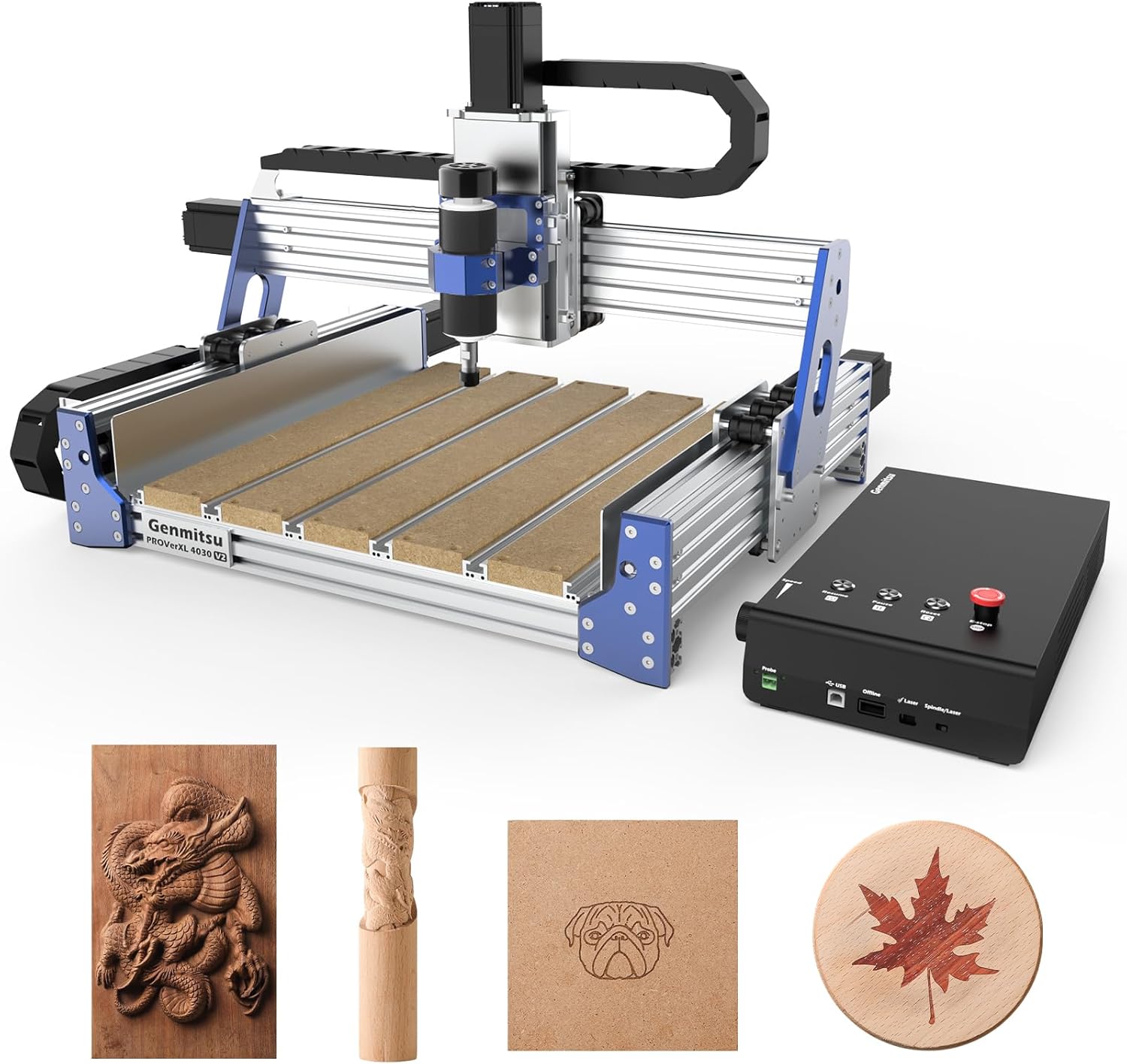
Best for: the maker who wants a capable, rigid desktop CNC that cuts wood, acrylic, PCB, and light metal.
The PROVerXL 4030 is the desktop router most serious hobbyists should look at. It uses NEMA 23 closed-loop stepper motors and a 400W spindle on a rigid frame, with a 400 × 300 × 110 mm work area - enough for real signs, furniture parts, and 3D carving, and rigid enough to touch aluminum. It's largely pre-assembled, runs on the standard GRBL/open software ecosystem, and accepts an add-on 4th-axis rotary if you later need to carve cylindrical work - the closest a hobbyist realistically gets toward multi-axis. It's the sweet spot of capability and price in desktop CNC.
| Pros | Cons |
|---|---|
| ✅ Closed-loop steppers, 400W spindle - rigid | ❌ Still 3-axis (4th-axis optional) |
| ✅ Good 400x300mm work area | ❌ Light-metal capable, not a mill |
| ✅ Mostly pre-assembled; GRBL software | |
| ✅ 4th-axis rotary available |
2. Genmitsu 4040-PRO - Larger Work Area
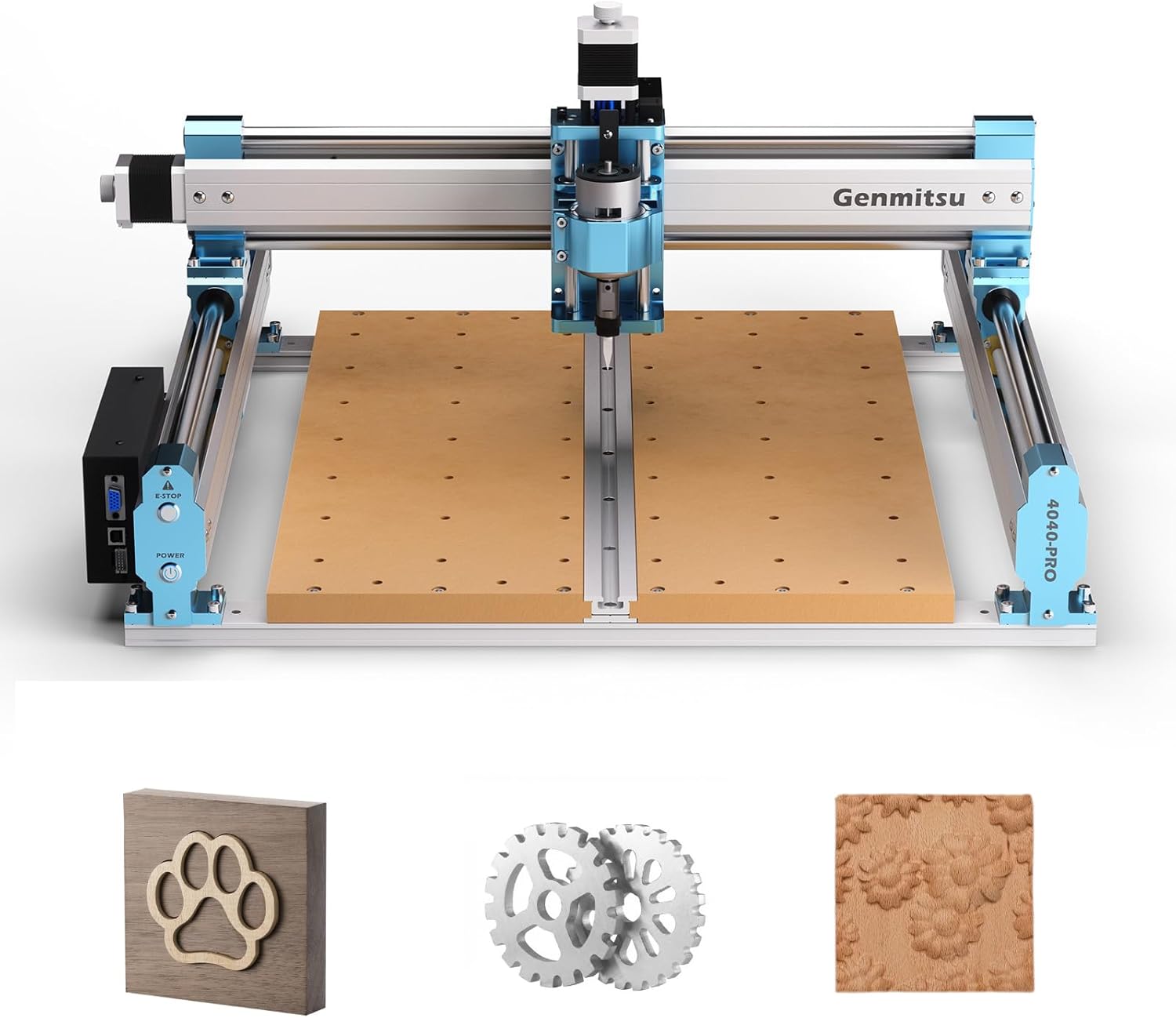
Best for: makers who want more table and lead-screw precision for bigger wood and acrylic projects.
The 4040-PRO steps up the footprint to a 15.7" × 15.7" work area with lead-screw-driven motion for accurate, repeatable cuts, aimed at wood, acrylic, and light metal milling. The bigger bed suits larger signs and panels, and like its sibling it's GRBL-based and rotary-upgradeable. It's a bit more machine to set up and tune than the entry model, but for someone who knows they want room to grow, the extra work area is worth it. A solid middle choice between the compact 3018 and pro-level rigs.
| Pros | Cons |
|---|---|
| ✅ Large 15.7" square work area | ❌ More setup/tuning than entry model |
| ✅ Lead-screw driven - precise | ❌ 3-axis (rotary optional) |
| ✅ Wood, acrylic, light metal |
3. Genmitsu 3018-PRO - Best Budget Starter
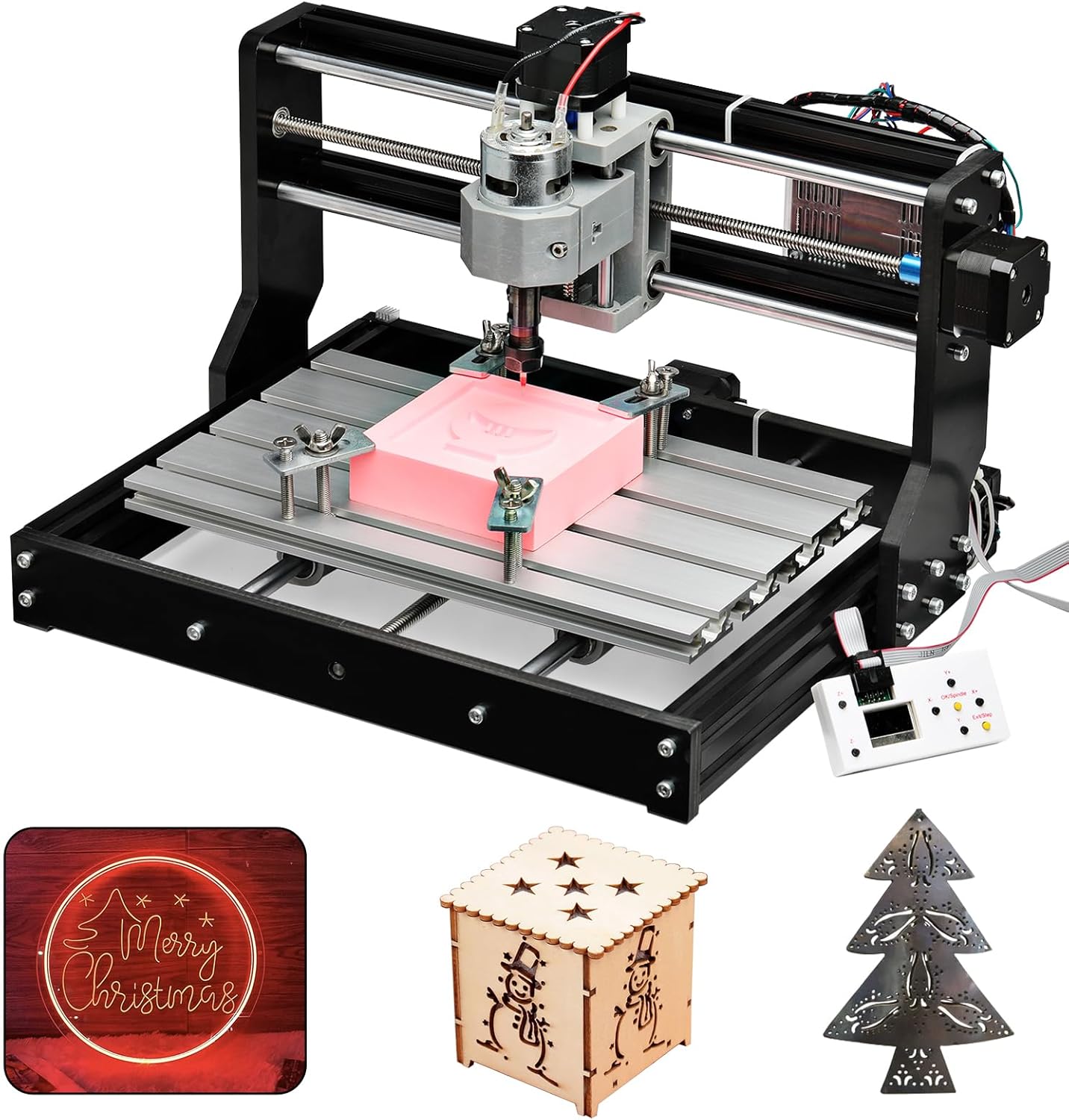
Best for: learning CNC and small projects - engraving, PCBs, and light wood/acrylic carving on a tight budget.
The 3018-PRO is the classic way people learn CNC without a big spend. Its 300 × 180 × 45 mm work area is small, but for engraving, small signs, jewelry, PCBs, and light wood or acrylic it's genuinely capable, and it ships as an affordable kit (often with an offline controller). You'll assemble and tinker with it, and it won't touch metal, but as a first CNC to learn the whole workflow - CAD/CAM, GRBL, feeds and speeds - for the least money, nothing beats its value. Outgrow it and move up; many makers start exactly here.
| Pros | Cons |
|---|---|
| ✅ Cheapest way to learn CNC | ❌ Small work area; not for metal |
| ✅ Great for engraving, PCB, small carving | ❌ Kit build and tinkering |
| ✅ Big community and support |
How to choose a desktop CNC (instead of chasing 5-axis)
- Match the work area to your projects. Signs and panels want a bigger bed (4040 or PROVerXL); engraving and small parts are fine on a 3018.
- Rigidity = what you can cut. Heavier frames and closed-loop steppers cut cleaner and can touch aluminum; light kits are for wood, acrylic, and PCB.
- Add a 4th-axis rotary if you need round work - table legs, cylinders, rings. That's the realistic "extra axis" for a hobbyist, not 5-axis.
- Budget for bits, software, and dust/chip management - the machine is only part of the cost.
Frequently Asked Questions
Is there a budget or hobbyist 5-axis CNC machine?
Not really. True 5-axis CNCs are industrial machines starting around $30,000; the cheapest genuine desktop 5-axis (Pocket NC / Penta) is roughly $5,000+ and sold direct. Anything cheap advertised as "5-axis" is typically a 3-axis machine with a rotary. For hobby and woodworking, a 3-axis desktop router (optionally with a 4th-axis rotary) is the realistic, capable choice.
Do I need 5-axis for woodworking?
No. 3-axis CNC handles essentially all woodworking - signs, inlays, furniture parts, and 3D reliefs - and a 4th-axis rotary covers cylindrical work like legs and columns. 5-axis is for complex industrial parts (aerospace, molds, medical), not furniture and crafts.
What's the difference between 3, 4, and 5 axis?
3-axis moves the cutter in X, Y, Z. 4-axis adds one rotary axis (spinning the part) for cylindrical work. 5-axis adds a second rotation so the tool can tilt and reach almost any angle in one setup, machining complex curved and undercut geometry. Each added axis unlocks more complex shapes - and much higher cost.
What can a desktop CNC router actually cut?
Wood, plywood, MDF, acrylic, PCB, foam, and (on rigid machines like the PROVerXL) light aluminum. They're ideal for signs, inlays, engraving, jewelry, and furniture parts. They're not mills - heavy steel machining needs a proper CNC mill.
Related guides
Confused about routers vs. mills? See our CNC router vs mill explainer. Want to engrave and cut without a CNC? A laser cutter is often the better maker tool. New to the shop? Start with the comprehensive guide to woodworking tools.